
Decoder Dead in Primrose? How to Tell Repair From Replace
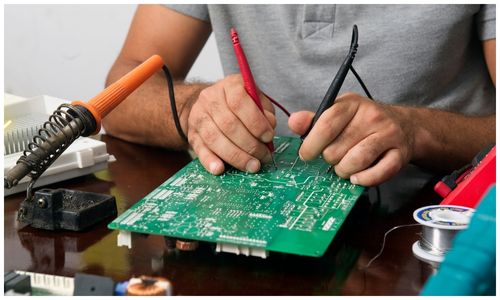
"The decoder is dead." It is one of the most common calls we get from Primrose and the surrounding parts of Germiston, and a good share of the time the decoder turns out to be perfectly healthy. Something else has failed, and the decoder is simply the thing with a light on it that you can see.
That matters, because replacing a working decoder is an expensive way to not fix your problem. This is how to narrow it down before you spend anything, and how to think about repair versus replacement once you know what you are actually dealing with.
First: Is It Actually the Decoder?
There are three quite different faults that all present as "no TV", and telling them apart takes about ten minutes.
An Account Problem Wearing a Hardware Costume
If the screen shows an error code, read it before you touch anything. DStv's own page for error E16 says: "This error can occur if your services have been suspended. It might also mean that the channel you're trying to access is not included in your current package." Nothing on your roof or in your lounge can fix that one. DStv also notes on the same page that after clearing it, "Your error code may take up to 15 minutes to clear" — so give it that long before deciding the fix did not work.
A Signal Problem
The classic is E48. DStv describes it plainly on its E48 error page: "This error indicates that your decoder isn't receiving an adequate signal from the satellite dish. Possible reasons include damaged cables, loose connections, an improperly aligned dish, or severe weather conditions."
Its weather variant is E48-32, where DStv's advice is simpler still — that rain can interrupt the signal, and that you should check the cabling once the weather is fine. If the code is E48-32 and there is a storm sitting over the East Rand, the answer is usually to wait.
An Actual Hardware Failure
This is the smallest of the three categories. It looks like: no lights at all, a decoder that starts and restarts in a loop, a unit that gets unusually hot, a machine that has stopped reading its smartcard, or a recording drive that has started clicking. Those are decoder symptoms in a way that "searching for signal" simply is not.
The Ten-Second Test Everybody Skips
Before anything else, do the thing that sounds too simple to work. DStv's own suggested fix for E48 is specific about the timing: "After checking the connections, switch off the decoder at the wall plug and wait for at least 10 seconds before turning it back on."
The ten seconds is the point. Switching it off and straight back on again does not let the power supply drain, so the decoder never truly restarts. Wait properly, and a genuine share of "dead" decoders come back.
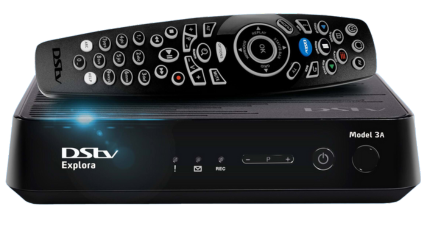
Checks You Can Do From the Ground
Work through these in order. Every one of them is done indoors or standing on the floor — please do not go onto a roof for this.
1. Power cycle at the wall, with a full ten seconds off, as above.
2. Check the power itself. Try the decoder's power supply in a socket you know works. A failed external power brick is one of the more common hardware faults and one of the cheapest to put right.
3. Look behind the unit. Confirm the satellite cable is screwed on firmly, not just pushed in, and that the HDMI cable is seated at both ends. A TV on the wrong input source accounts for more "dead decoder" calls than anyone likes to admit.
4. Test the TV separately. Feed it something else — a console, a laptop, anything with HDMI. If the TV is blank on every input, the decoder was never the problem.
5. Look at the dish from the ground. If it has been knocked out of position, it usually looks visibly crooked from below, or the LNB arm sits at an odd angle. Do not try to correct it by hand; the alignment is far finer than it looks and it is easy to make things worse.
6. Check whether every screen in the house died at once. If a second decoder in another room is fine, the fault is downstream of the dish. If all of them failed together, look at the dish, the LNB or the cable between them.
Repair or Replace: How to Decide
Once a hardware fault is confirmed, the decision is less about sentiment and more about three questions.
What Has Actually Failed?
Some faults are worth repairing and some are not. A power supply, a connector, a cable, a dead fan — routine. A failed main board on an older unit is a different conversation, because the cost of that repair starts approaching the cost of a current decoder that will be supported for longer.
How Old Is the Unit, and What Do You Watch?
If the decoder is old and you are already frustrated by it — slow menus, a recording drive that is full, no support for something you want — a repair fixes today's fault and leaves tomorrow's. If it has been faultless for years and has one specific failure, repairing it is usually the better value.
Is There a Warranty in Play?
If the decoder was bought recently with an installation, check before you pay anybody. DStv's accredited installation page sets out that such deals come standard with, among other things, a "3-month warranty on workmanship" and "A 12-month warranty on equipment supplied". Those are DStv's terms on equipment supplied through that channel, so if your unit is inside those windows, that is the first door to knock on rather than the last.
When to Call Someone Out
It is worth getting help rather than persisting if:
- The decoder shows no lights at all after a proper power cycle and a known-good socket
- It restarts in a loop, or shuts itself down after a few minutes
- Every decoder in the house lost signal at the same moment
- The dish is visibly out of position and needs setting with a meter
- You suspect the LNB or the cable rather than the box
- Linked decoders have stopped talking to each other
Our fault-finding guide works through more symptoms in detail, and the list of what we cover sets out which of these are call-outs and which are workshop jobs. If you would rather just describe the symptom to a person, the quickest route is through the Germiston DStv installation home page.
One Thing to Be Careful Of
If you are looking for somewhere to physically take a decoder, be aware that MultiChoice lists only a small number of walk-in service centres for the whole country, and none of them is in Germiston or anywhere else on the East Rand. Anyone advertising themselves locally as a DStv branch or service centre is describing something other than what MultiChoice's own contact page lists. We are an independent installation business — not a DStv branch, agency or service centre — and we will tell you when something belongs with MultiChoice rather than with us. For account and subscription questions, MultiChoice's published call centre number is (011) 289 2222, and its contact page states that "Our call centre is available seven days a week, including public holidays, from 08:00 – 22:00."
Frequently Asked Questions
My decoder has no lights at all. Is it definitely broken?
Not definitely, but it is the most likely of the symptoms to be genuine hardware. Before concluding that, try the power supply in a different socket you have confirmed works, and give the unit a full ten seconds unplugged rather than a quick off and on. A failed external power supply presents exactly like a dead decoder and is a much smaller job to fix.
Is it worth repairing an old decoder?
It depends entirely on what failed. A power supply, a connector or a cable is usually worth doing. A main board on a unit that is already several generations old often is not, because you are paying a meaningful share of the cost of a current decoder to keep an old one going. The honest answer needs the fault identified first, which is why we would rather diagnose before quoting.
Why does my picture come back by itself after a storm?
Because it was never a hardware fault. Heavy rain and dense cloud between the dish and the satellite weaken the signal until the weather moves on, which is what DStv's E48-32 code describes. A system in good condition should ride out light rain without trouble. If a passing shower is enough to cut your picture, that is a sign the installation has very little margin left, and the alignment and LNB are worth checking before the next storm season.
Do I need a new dish if I replace my decoder?
Usually not. The dish, the bracket and the cable are independent of which decoder is plugged into them, and a dish in good condition will happily feed a newer unit. What sometimes does need attention at the same time is the LNB on the dish arm, particularly on older multi-room setups, because the number of decoders the system has to feed is determined there rather than at the dish itself.
Need Help with Your DStv?
Get help with DStv installation, signal faults and XtraView in Germiston and across the East Rand. Call or send a message for a no-obligation quote.